KiraSay
Simple terminal program to use in-place of cowsay
Overview
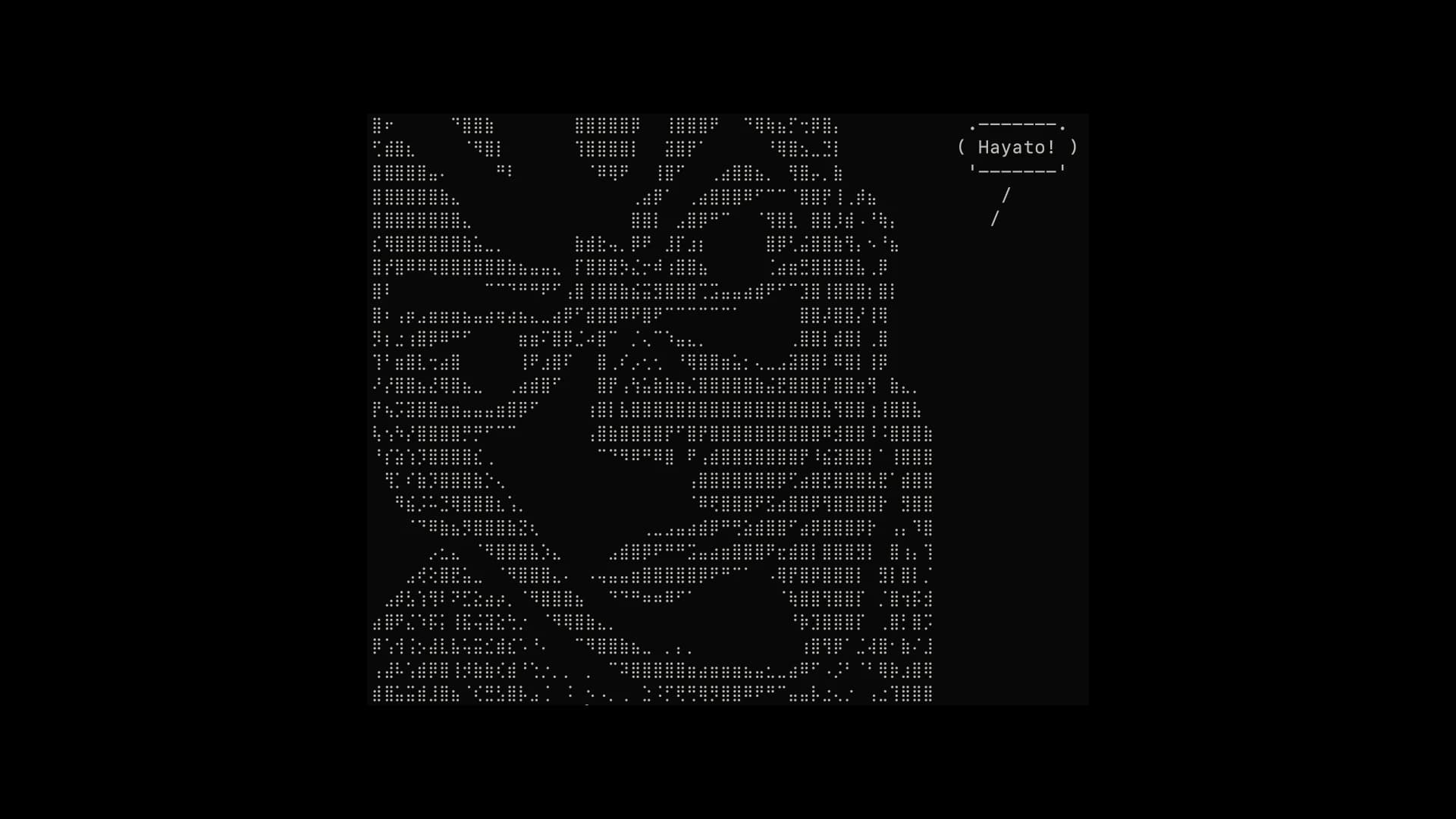
KiraSay started as a small weekend experiment that got slightly out of hand in the best way. The goal was simple: recreate the charm of classic terminal toys like cowsay, but with a more niche, personality-driven twist. Instead of a generic cow, it prints messages alongside stylised ASCII and Unicode art inspired by Kira. The result is a lightweight CLI tool that feels oddly expressive for something that lives entirely in a terminal window.
One deliberate decision was the choice of Perl. Partly, it was a tribute to the original cowsay, which is also written in Perl. But more than that, it felt appropriate to stay within the same ecosystem. Using Perl kept the project aligned with the spirit of early Unix scripting tools: small, text-focused, and unapologetically pragmatic. It also reinforced the idea that not every modern tool needs a modern stack.
Problem
Most terminal tools are built for productivity. Very few exist purely for personality. That gap becomes obvious when working long hours in a shell where everything is functional but nothing is fun.
KiraSay addresses a very specific need: adding a bit of character to an otherwise utilitarian environment. Whether it is printing a custom message, piping output from another command, or just breaking monotony, the tool gives developers a small but noticeable way to personalise their workflow.
It also quietly solves a second problem: many similar tools are either bloated, inconsistent across systems, or harder to install than they should be. KiraSay keeps the barrier to entry low.
Solution
The design prioritises simplicity over features. The script accepts a message, applies optional styling flags, and renders it alongside pre-defined ASCII or Unicode art variants. The focus was on making the output look clean in different terminal setups without requiring configuration.
Customisation is intentionally lightweight:
- Different pose or style flags (
-a,-b, etc.) - Works with piped input, so it integrates naturally into shell workflows
- No dependencies beyond a standard Perl environment
From an architectural standpoint, the project is deliberately flat. No heavy abstractions, no unnecessary modularisation. Early versions were actually more “structured,” but that made iteration slower and added friction for something that should feel instant. Stripping it back made the code easier to tweak and more aligned with the spirit of classic Unix tools.
A small but notable challenge was handling text alignment and spacing across different terminal widths and Unicode rendering quirks. That part took more trial and error than expected, especially when mixing ASCII layouts with Unicode characters.
Developer Notes
Building and distributing KiraSay was less about tooling and more about discipline. Keeping the install process straightforward was a priority from the start.
Typical workflow:
- Write and test directly by running the script in-place
- Validate behaviour with different inputs, including long text and piped commands
- Package via Makefile for cleaner installs and releases
Testing was mostly manual but intentional. It was run across different shells and environments to catch formatting inconsistencies. Terminal behaviour is not always predictable, so a lot of the testing involved “does this still look right?” rather than strict assertions.
Publishing to the AUR added another layer of polish. That step forced a cleaner structure, better install scripts, and clearer expectations for users who just want it to work.
In terms of extension, the project is easy to build on:
- Add new art variants
- Expand flag options
- Improve formatting logic
- Port the idea to other scripting languages
One practical takeaway from building this: small tools expose design discipline more than large ones. There is nowhere to hide unnecessary complexity. Every extra line either justifies itself or becomes obvious clutter.